What Is a Modern Office Chair and How to Choose One?

A Modern Office Chair is more than a stylish seat beside a desk. It is a daily tool for posture, movement, and focused work. During a full workday, the right chair can reduce pressure on the lower back, hips, and shoulders. Small details matter. A seat that feels soft for five minutes may become uncomfortable after two hours. Adjustable lumbar support, seat depth, armrests, and tilt tension often make a greater difference than appearance.

Real comfort is personal.

Ergonomic professionals generally recommend a chair that supports a neutral posture without restricting natural movement. However, no chair fits every body perfectly. Height, leg length, desk design, and working habits all change the experience. This guide explains what defines a modern office chair and how to assess one with practical care. It considers adjustment range, material quality, stability, caster performance, and long-term maintenance. A reliable chair should move smoothly, remain steady, and support repeated daily use. Its controls should be understandable, not hidden beneath the seat like a small puzzle. Testing the chair for several minutes is useful, but it cannot fully predict years of comfort. That limitation deserves attention. Careful buyers should measure their desk, check the return policy, and compare specifications with their actual needs. The most expensive model is not automatically the best choice. A well-fitted chair with modest styling may serve better than a luxurious chair with poor support.
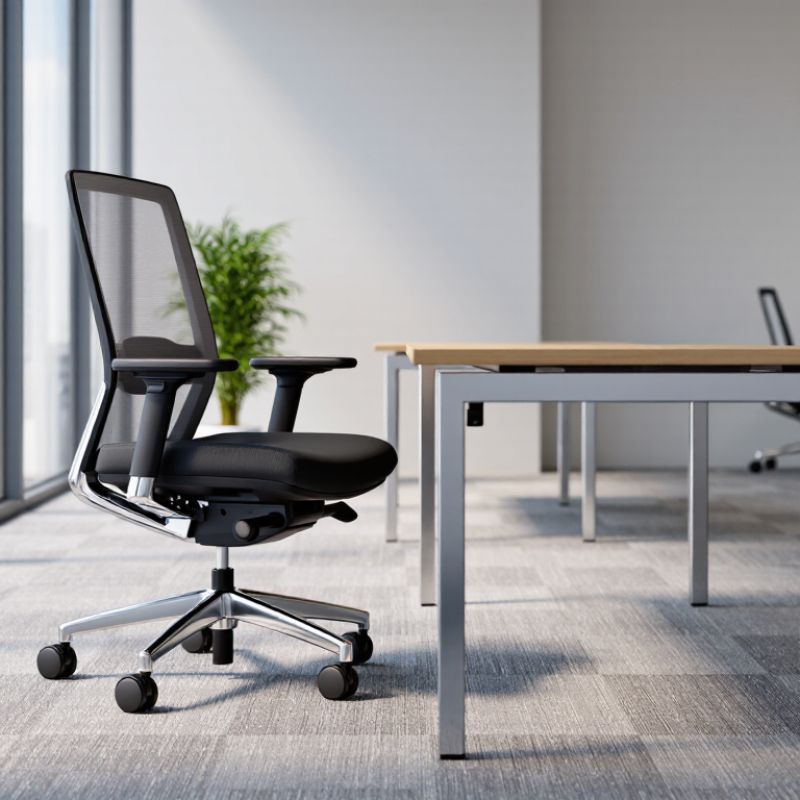
What Is a Modern Office Chair and How to Choose One?

Definition and Core Features of a Modern Office Chair

A modern office chair is a task chair designed for changing work habits. It supports sitting, typing, reading, and short movement throughout the day. Unlike older fixed chairs, it usually offers several adjustable parts. The goal is not luxury. It is controlled support during ordinary work.

Core features include adjustable seat height, a supportive backrest, and stable movement. Your feet should rest flat while your knees stay near a right angle. A seat that is too deep may press behind your knees. Adjustable lumbar support can fill the lower-back curve without forcing your spine forward. Armrests should let your shoulders relax, not lift toward your ears.

Small details matter. Breathable fabric can reduce heat during long meetings. A five-point base improves stability when you turn or reach. A reliable tilt mechanism lets you change posture instead of freezing in one position.

I once chose a chair with excellent padding but ignored its narrow seat. After several hours, comfort disappeared. That mistake still affects how I assess chairs. Personal fit matters more than attractive specifications.

Try sitting with your usual desk, keyboard, and screen height. Move the controls repeatedly. Some adjustments look useful but feel awkward in daily work. A modern chair should respond smoothly, remain stable, and support your real working posture.

Key Types of Modern Office Chairs and Their Uses

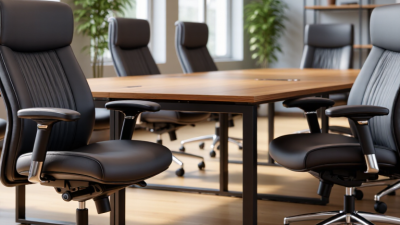
Modern office chairs serve different work patterns, not just different rooms. Task chairs suit focused computer work, with adjustable seat height, lumbar support, and armrests. Mesh chairs improve airflow during long sessions. Executive chairs offer deeper cushions and broader backs, but they may reduce movement. Conference chairs prioritize easy entry and short meetings. Drafting chairs work well at raised desks, especially with a stable foot ring.

Ergonomics matters more than appearance. The U.S. Occupational Safety and Health Administration recommends adjustable workstations that support neutral postures. A 2023 U.S. Bureau of Labor Statistics report recorded 2.6 million nonfatal workplace injuries and illnesses in private industry. The report does not isolate chair-related causes, so it cannot prove that a chair prevented or created an injury. Still, prolonged sitting deserves careful attention. A useful chair should let your feet rest flat, keep your knees near hip level, and support your lower back without forcing it forward.

Choose by use, body size, and daily movement. For shared desks, prioritize wide adjustment ranges and durable controls. For remote work, a compact task chair may fit better than a bulky executive model. Test the seat for at least ten minutes. Notice pressure behind your knees. Small details matter. I would not trust a chair because it looks “ergonomic”; marketing language is not a clinical assessment. The BIFMA Ergonomics Guideline also emphasizes adjustability and user fit, yet no guideline can replace personal testing.

Essential Ergonomic Features to Evaluate

A modern office chair is more than a padded seat. It should support natural movement during long working hours. The World Health Organization reports that musculoskeletal conditions affect about 1.71 billion people worldwide. Office work is not the only cause, but poor seating can add daily strain to the lower back, neck, and shoulders.

Adjustability deserves close attention. OSHA guidance recommends a chair with lumbar support, adjustable height, and stable foot support. Your feet should rest flat, while your knees remain near hip level. The backrest should follow your spine without forcing you upright like a statue. A seat depth adjustment helps prevent pressure behind the knees. Armrests should support relaxed shoulders, not lift them. Small details matter.

Look for a five-point base, smooth casters, and breathable material. ANSI/HFES 100-2007 emphasizes fitting the workstation to the user, rather than forcing the user to fit the furniture. The U.S. Bureau of Labor Statistics continues to record substantial work-related musculoskeletal disorder cases, including injuries requiring days away from work. A chair cannot solve every problem. Movement still matters. Stand briefly, change posture, and avoid sitting rigidly for hours. I would not trust a chair simply because it feels soft. Softness can hide weak support, and my own first impression is often wrong. Test the controls, measure the seat, and reassess after a full working day.

How to Choose the Right Chair for Your Workspace

A modern office chair should support your body without demanding constant attention. Choosing the right chair starts with your workspace, daily tasks, and physical needs. A chair that works for short emails may fail during six-hour design sessions.

Sit with your feet flat and your knees close to a 90-degree angle. Your hips should sit slightly higher than your knees. Adjust the seat height until your elbows rest comfortably near desk level. Check the seat depth, too. Leave two or three fingers between the seat edge and the backs of your knees. The backrest should support your lower back without pushing your shoulders forward. Adjustable lumbar support is useful, but it cannot correct every posture problem.

Move the chair before judging it. Recline, type, reach, and stand several times. The chair should remain stable and roll smoothly on your floor. Look for breathable material if your office feels warm. Armrests should support relaxed shoulders, not lift them. A five-point base and dependable weight capacity improve everyday safety. I once selected a chair with excellent cushioning but poor depth adjustment. My legs felt pressured after an hour. That mistake changed how I test seating. Comfort alone is not enough. Measure your desk and available floor space before buying. Even a well-designed chair can feel wrong when its arms collide with the desktop. If possible, test it for a full work session, because first impressions can be misleading.

What Is a Modern Office Chair and How to Choose One? - How to Choose the Right Chair for Your Workspace

Selection Dimension Recommended Standard or Range Why It Matters Practical Check
Seat Height Approximately 40–53 cm (15.7–20.9 in) with adjustable control Allows the user’s feet to rest flat while keeping the knees close to a 90-degree angle. Adjust the chair so your feet are flat on the floor and your thighs are approximately level.
Seat Depth About 40–48 cm (15.7–18.9 in), preferably adjustable Supports the thighs without pressing behind the knees or leaving excessive unsupported space. Leave roughly 5–8 cm (2–3 in) between the seat edge and the back of your knees.
Seat Width At least 45 cm (17.7 in); choose a wider seat for greater freedom of movement Provides comfortable support without restricting posture changes or work movement. Sit centrally and confirm that both sides of your hips have comfortable clearance.
Backrest Height Should support the lower and middle back; a taller backrest may support the upper back and shoulders Helps maintain a stable seated posture during extended computer work. Check that the backrest follows your spine without forcing your shoulders forward.
Lumbar Support Adjustable height and depth are preferable Supports the natural inward curve of the lower back and reduces unsupported space. The support should contact the lower back comfortably without creating pressure.
Backrest Recline A lockable recline range is useful; approximately 90–110 degrees suits many desk tasks Allows posture changes and can reduce the need to remain rigidly upright all day. Test upright typing and relaxed reading positions; both should feel stable.
Armrest Adjustability Height adjustment is essential; width, depth, and pivot adjustment add flexibility Can support the forearms while helping the shoulders remain relaxed. Set the armrests so your elbows remain near your sides and your shoulders do not lift.
Desk Compatibility Desk height, legroom, and armrest clearance must work together A well-designed chair cannot compensate for a desk that is too high or too low. Pull the chair close to the desk and confirm that the armrests can clear the desktop.
Material and Breathability Breathable mesh or ventilated fabric is useful for warm environments; padded upholstery may feel softer The material affects heat retention, comfort, cleaning, and long-term wear. Consider room temperature, cleaning needs, and the expected daily sitting time.
Base and Casters A stable five-point base with casters suited to the floor surface Supports stability and smooth movement while reducing the risk of unwanted rolling. Check that the chair rolls appropriately on carpet, hard flooring, or a protective mat.
User Fit Match the chair’s adjustment range to the user’s height, leg length, and body width A chair that fits one person may not provide the same support for another. Use the manufacturer’s measurements and, when possible, test the chair before purchase.
Safety and Durability Look for a stable structure, reliable adjustment mechanisms, and a clearly stated load capacity Durable construction improves safety, usability, and value over the chair’s service life. Review the warranty, adjustment instructions, load rating, and replacement-part availability.
Quick Selection Rule: Choose a chair that supports a neutral posture, offers several independent adjustments, fits your desk, and allows you to change position comfortably throughout the workday.

Materials, Adjustability, Durability, and Maintenance Factors

A modern office chair supports movement, not rigid stillness. Materials affect comfort, heat, cleaning, and lifespan. Breathable mesh suits warm rooms, but poor mesh can press into the thighs. High-density foam feels softer, although it may flatten after years of daily use. A stable metal or reinforced frame usually outlasts thin plastic parts. Look for tested construction, such as compliance with ANSI/BIFMA X5.1 performance requirements.

Adjustability matters more than appearance. Set seat height so both feet rest flat and knees stay near hip level. Adjust seat depth to leave two or three fingers behind the knees. The backrest should support the lower back without forcing an upright pose. Armrests should let shoulders relax.

A 2022 European Agency for Safety and Health at Work report identifies musculoskeletal disorders as about 60% of work-related health problems in Europe. A chair cannot solve every ergonomic risk, but poor adjustment can increase daily strain.

Tips: Sit for ten minutes before buying, then test every control. Check whether the base stays quiet during movement. Wipe vinyl with mild soap, vacuum mesh gently, and inspect screws every few months. Follow the care sheet; harsh cleaners can weaken coatings. Replace worn casters when rolling becomes uneven. I have found that “maintenance-free” is rarely true. Even a durable chair needs attention. Consider a five-year usage plan, not just the showroom feeling.

Cite: EU-OSHA, Work-related musculoskeletal disorders, 2022; ANSI/BIFMA X5.1 Office Chairs Standard.