Choosing the best Business Chair in 2026 requires more than comparing upholstery, price, and visual appeal. A chair supports long meetings, focused analysis, video calls, and quiet administrative work. It should also fit real users, not an idealized office worker. The U.S. Occupational Safety and Health Administration (OSHA) recommends adjustable seating, proper lower-back support, stable feet, and a workstation that allows neutral postures. These details matter when someone spends seven hours moving between spreadsheets and presentations.
Industry standards offer a more reliable starting point. ANSI/BIFMA X5.1 establishes performance and durability requirements for general-purpose office chairs, including stability, strength, and testing procedures. A 2023 BIFMA industry report also showed the continuing importance of workplace furniture quality as companies redesign offices around hybrid work. Meanwhile, Gallup’s State of the Global Workplace 2024 report found that only 23% of employees were engaged worldwide. A comfortable chair cannot solve disengagement. It can, however, remove one unnecessary source of daily friction.
Look closely. The seat edge should not press behind your knees. The backrest should support movement, not force a rigid pose. Armrests should fit beneath the desk, while the base should remain stable during frequent turning. Material choice matters too; mesh may improve airflow, but it does not automatically provide better support. This is where purchasing decisions often become imperfect. Marketing language sounds precise, while body shapes and working habits remain different. The right Business Chair is therefore the one that combines tested construction, meaningful adjustment, and a practical fit for its users. Test it before committing. Your back will notice.
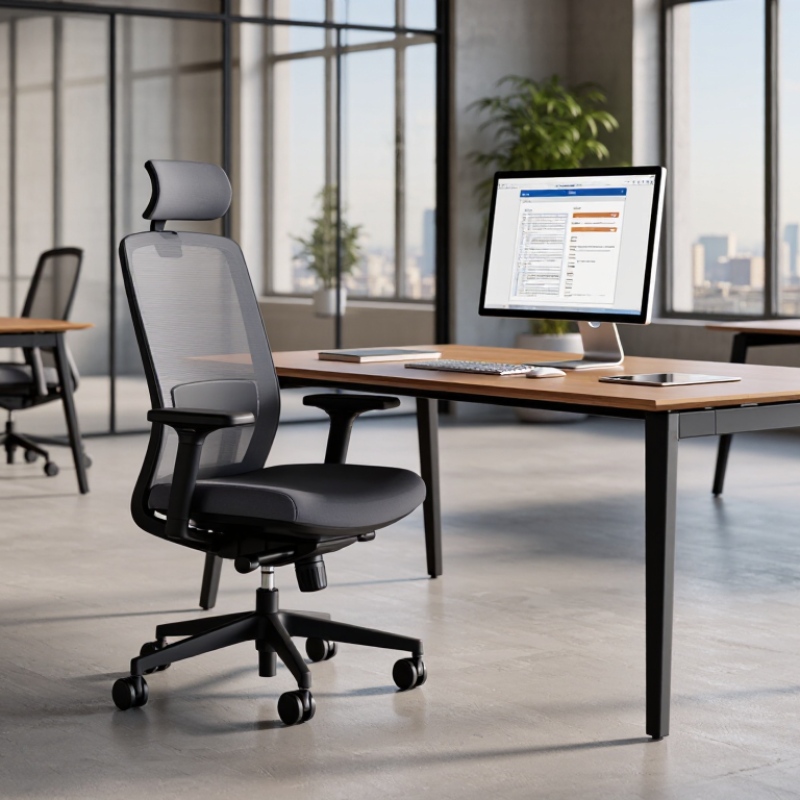
Choosing the best business chair in 2026 starts with your work, not a trend. Define how many hours you sit, move, type, meet, or review documents. A finance analyst may need firm lumbar support and stable armrests. A creative lead may need easier movement and flexible posture. Measure your desk height, screen position, and legroom before shopping.
I once chose a chair by appearance alone. My shoulders felt tense by afternoon. That mistake still influences my recommendations.
Your office environment changes the right choice. In a quiet private room, breathable materials and smooth adjustments may matter most. In a shared office, consider quiet casters, compact dimensions, and easy cleaning. A warm room needs airflow. A narrow desk needs a chair that tucks in fully. Check floor type, lighting, and nearby meeting areas too. Ergonomic guidance generally favors adjustable seat height, supported posture, and comfortable foot placement. Still, no chair fixes a poorly arranged workstation.
Tips: Track discomfort for one week. Note when it begins. Test a chair for at least fifteen minutes, then repeat the test later. Adjust the seat so your knees stay near a right angle. Keep elbows relaxed while typing. If support feels excessive, change the setting gradually. Personal fit matters more than a specification sheet. I may overvalue adjustability; too many controls can distract busy users. Ask a colleague to observe your posture from the side. Their feedback can reveal habits you miss.
A business chair should support your working habits, not merely look professional. During a full workday, I notice discomfort first in the lower back and shoulders. A useful chair lets your feet rest flat while your knees stay near a right angle. The seat should support your thighs without pressing behind your knees. Small details matter.
Adjustability determines whether the chair fits your body. Check the seat height, seat depth, backrest angle, armrest position, and lumbar support. Your elbows should remain close to your body while typing. Armrests that sit too high can quietly lift your shoulders for hours. A headrest may help during meetings, but it cannot correct poor desk height. Test each adjustment while wearing normal work clothes.
Daily comfort needs practical testing. Sit for at least twenty minutes, then stand and walk briefly. Notice pressure points, heat buildup, and whether the backrest follows your movement. I once chose a chair with excellent cushioning, but its fixed armrests made typing awkward. That mistake changed my evaluation process. Comfort is personal. A reliable choice should match your desk, screen height, working posture, and schedule. Measure the available space too. A chair that reclines well may still collide with a wall or cabinet. Recheck your posture after several days, because initial comfort can be misleading.
Evaluate ergonomics, adjustability, and daily comfort with a practical 100-point decision framework.
The framework gives the greatest weight to adjustability and lumbar support because office chairs should fit different users, desk heights, and working postures. Use the percentages as a consistent checklist when comparing chairs, rather than relying on appearance or brand reputation alone.
Choosing the best business chair in 2026 requires more than attractive design. Material, adjustment quality, and useful technology should match your daily work.
Mesh keeps air moving during long meetings, especially in warm offices. However, cheaper mesh can lose tension and create pressure points. Dense foam feels supportive at first, but it may retain heat. Leather or synthetic leather looks professional and wipes clean easily. Still, surface cracking can appear without proper care. In my chair testing, a breathable fabric seat often balanced comfort, durability, and temperature better than expected.
Check whether the chair supports your lower back, shoulders, and thighs. Adjustable seat depth helps shorter and taller users maintain stable leg contact. Armrests should move in several directions, not only upward. A firm five-wheel base improves movement on hard floors, while soft casters reduce noise. Small details matter.
Technology can improve posture, but it cannot replace a correct chair size. Occupancy sensors, posture reminders, and app-based adjustments may help busy teams. Privacy deserves attention. Choose systems with clear data controls and limited collection. Published durability tests, weight ratings, repair options, and transparent warranty terms show stronger reliability. I once focused too heavily on smart features and ignored seat depth. That mistake caused discomfort within an hour. Sometimes, simpler hardware performs better.
How to Choose the Best Business Chair in 2026?
A durable business chair should survive daily movement, not just look impressive in a showroom. Check the frame, base, casters, and adjustment controls for solid construction. Sit for at least ten minutes. Test it slowly. Notice creaking, uneven support, or loose controls. A reliable chair should maintain its shape after repeated use. Look for clear load ratings, replaceable parts, and a warranty with practical coverage. Vague promises are not evidence.
Sustainability requires more than recycled packaging. Ask about recycled materials, manufacturing practices, repair options, and end-of-life recycling. A chair with replaceable cushions or casters can avoid premature disposal. Material disclosures also improve trust, especially when they identify fabric content and chemical treatments. Independent certifications may help, but certification alone cannot prove long-term performance. Documentation matters.
Long-term value comes from fewer replacements and lower maintenance costs. Compare the purchase price with expected service life, repair fees, and employee comfort. Poor support can contribute to discomfort and lost productivity, even when the chair seems inexpensive. I still question products advertised as “eco-friendly” without measurable details. Marketing can sound more durable than the chair feels. A careful evaluation may reveal that a slightly higher initial cost offers better stability, repairability, and daily comfort over several years.
A practical, brand-neutral evaluation framework for commercial office seating
| Evaluation dimension | Recommended benchmark for 2026 | How to verify | Suggested weight | Long-term value impact |
|---|---|---|---|---|
| Commercial durability testing | Passes a current commercial office-chair performance standard, such as ANSI/BIFMA X5.1 or an equivalent national standard. | Request a valid test report or certificate covering the exact chair configuration, not only the product family. | 20% | Reduces the risk of premature failure in high-use workplaces and supports predictable replacement planning. |
| Rated user capacity | Choose a published load rating that exceeds the intended user requirement; a 300 lb / 136 kg rating is a useful minimum for general commercial procurement. | Check the technical specification and confirm whether the rating applies to continuous commercial use. | 8% | Provides a safety margin and can reduce stress-related failures in the base, cylinder, mechanism, and casters. |
| Warranty coverage | Target at least 5 years for the complete chair and longer coverage for structural components where available. | Review exclusions, labor coverage, commercial-use restrictions, shipping costs, and the process for obtaining spare parts. | 12% | A meaningful warranty transfers part of the repair and replacement risk from the buyer to the supplier. |
| Seat-height adjustability | A practical target is approximately 16–21 in / 40.6–53.3 cm, with adjustment suitable for the user population and desk height. | Measure the actual seat height under load and test whether feet can rest flat while elbows remain near desk height. | 10% | Improves fit across different users and reduces the likelihood of replacement caused by poor ergonomic compatibility. |
| Back support and recline | Look for adjustable lumbar support, a backrest that supports the upper back, and controlled recline with a lockable upright position. | Test support in both upright and reclined positions; verify that adjustments remain stable without excessive looseness. | 12% | Better adjustability accommodates different working postures and can extend useful life across changing users. |
| Replaceable components | Seat pads, casters, gas cylinders, arm pads, and control mechanisms should be available as replacement parts for at least 5 years. | Obtain a spare-parts list, prices, ordering method, and estimated availability period before purchasing. | 12% | Repairability prevents a minor component failure from making the entire chair unusable. |
| Material transparency | Prefer a complete bill of materials identifying plastics, metals, foam, textiles, coatings, and recycled content by weight where possible. | Request a material declaration and documentation for recycled-content claims rather than relying on marketing language. | 8% | Clear material information improves environmental comparison and supports future recycling decisions. |
| Indoor-emissions performance | For enclosed offices, prioritize independently verified low-emitting performance under a recognized indoor-air-quality program. | Check that certification covers the complete chair, including foam, adhesives, coatings, and upholstery. | 6% | Supports healthier interiors and reduces uncertainty associated with composite materials and adhesives. |
| End-of-life recovery | Prefer designs that can be disassembled with common tools and have documented take-back, refurbishment, resale, or recycling pathways. | Ask for disassembly instructions, packaging information, and the supplier’s end-of-life process in writing. | 7% | Keeps usable materials in circulation and may reduce disposal fees and landfill waste. |
| Five-year total cost of ownership | Calculate: purchase price + delivery + expected repairs + replacement parts − residual resale or refurbishment value. | Compare the result with the expected service period rather than judging only by the initial price. | 5% | Reveals whether a higher-quality chair delivers a lower annual cost over its useful life. |
Test, compare, and choose the right business chair by observing your body, not just the product photos. Sit for at least 30 minutes, even if the showroom feels busy. Your lower back should feel supported without pressure. Keep both feet flat, with knees close to a 90-degree angle. Adjust the seat height, depth, armrests, and backrest before judging comfort.
Measure your desk first. A chair with excellent padding can still fail if its armrests hit the desktop. Check the seat width, minimum height, weight capacity, and movement range. Compare three or four models using the same desk setup. Notice heat after prolonged sitting, wheel stability on your floor, and whether the recline mechanism moves smoothly. Read warranty conditions carefully. They reveal how confidently the maker stands behind the chair.
I once preferred a soft seat during a short test, but disliked it after two hours. That mistake changed my evaluation method. Comfort is not always support. A firm edge may also feel restrictive for shorter users. Consider your height, working hours, clothing, and typical posture. Record simple observations after each test. The best choice may not feel perfect immediately. It should remain adjustable when your workday, desk, or body changes.